
How to Install Minecraft Shaders (Java & Bedrock)
Install shaders on Java with Iris + a shaderpack, or enable Vibrant Visuals on Bedrock — the official graphics mode that replaced community shader packs.
FAQ
How do you get shaders in Minecraft Java?
Can you get shaders on Minecraft Bedrock?
Do shaders lag Minecraft?
Java: Iris + shaderpacks (the modern way)
OptiFine is legacy — the 2026 standard stack is:
- Install Fabric (see install mods)
- Add two mods to
mods/: Iris (shader engine) + Sodium (performance so shaders stay playable) - Download a shaderpack — Complementary Shaders, BSL, and Sildur’s Vibrant are the big three — from Modrinth/CurseForge only
- Drop the .zip into
shaderpacks/(next tomods/), then enable it in Video Settings → Shader Packs
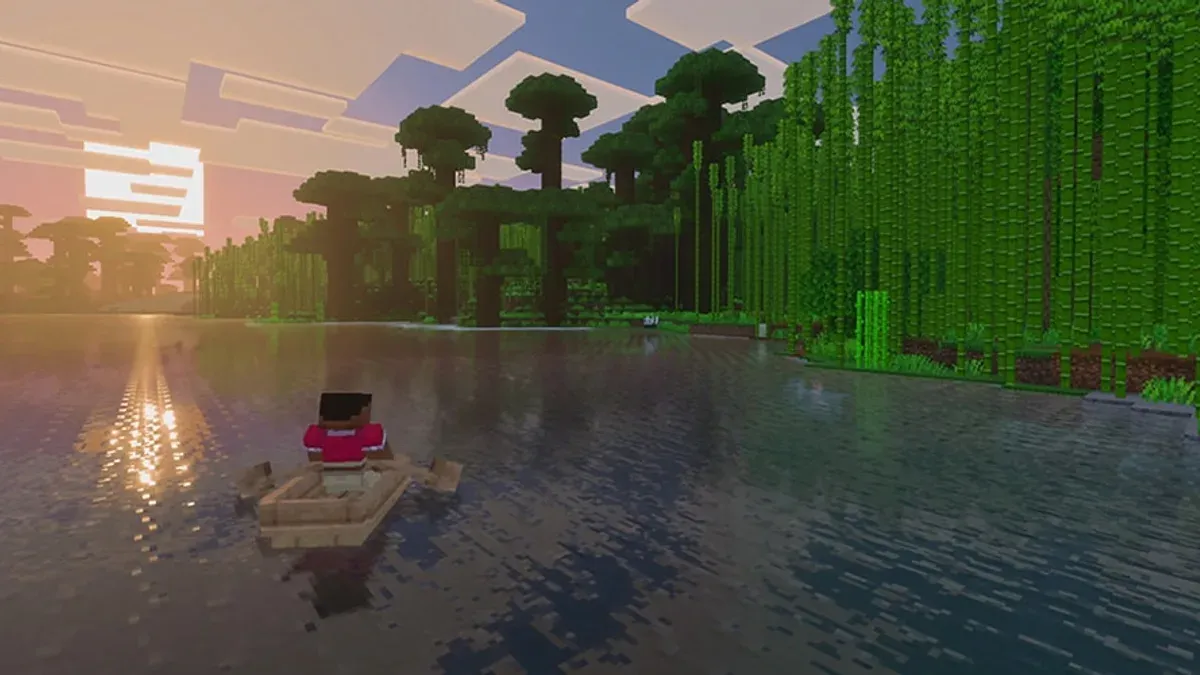
Light, water, shadows, and volumetric clouds transform instantly — and Sodium keeps framerates near vanilla on mid-range GPUs.
Bedrock: Vibrant Visuals (the official path)
Community shader packs died with the RenderDragon engine change — nothing third-party loads anymore. The official answer is Vibrant Visuals:
- A built-in graphics mode: point lights, sun rays, water caustics, directional shadows, emissive textures
- Toggle in Video settings on supported devices — consoles, PC, and mobile included
- Performance presets scale it down on weaker hardware
- It’s rolling out across Java too — the same lighting model is coming to both editions
Which should you pick?
- Max visuals + biggest pack library → Java + Iris + Complementary
- Zero install, works on consoles → Bedrock Vibrant Visuals
- Low-end PC → Java + Sodium first, add shaders only if frames allow; Bedrock → Vibrant Visuals on its performance preset
Safety note
Only get shaderpacks from Modrinth or CurseForge — ‘shader installer’ .exe files and free-Minecoin downloads are classic malware bait, the same rule as installing mods.
What to read next
- How to Install Mods — Fabric/Iris setup step by step
- Mods vs Add-ons — why Bedrock packs work differently
- Java vs Bedrock — the full edition comparison
Sources
This article was compiled with AI assistance and checked by the site operator against the sources linked on this page — it is not based on first-hand play. Last checked: 10/14/2026. Editorial policy
Was this helpful?
Thanks for the feedback!